
I have been building a board game that is also a piece of furniture. It is called Quorrespondence, and it plays go, quoridor, and chess with people you don't live near. The name is a mashup of "quoridor" and "correspondence."
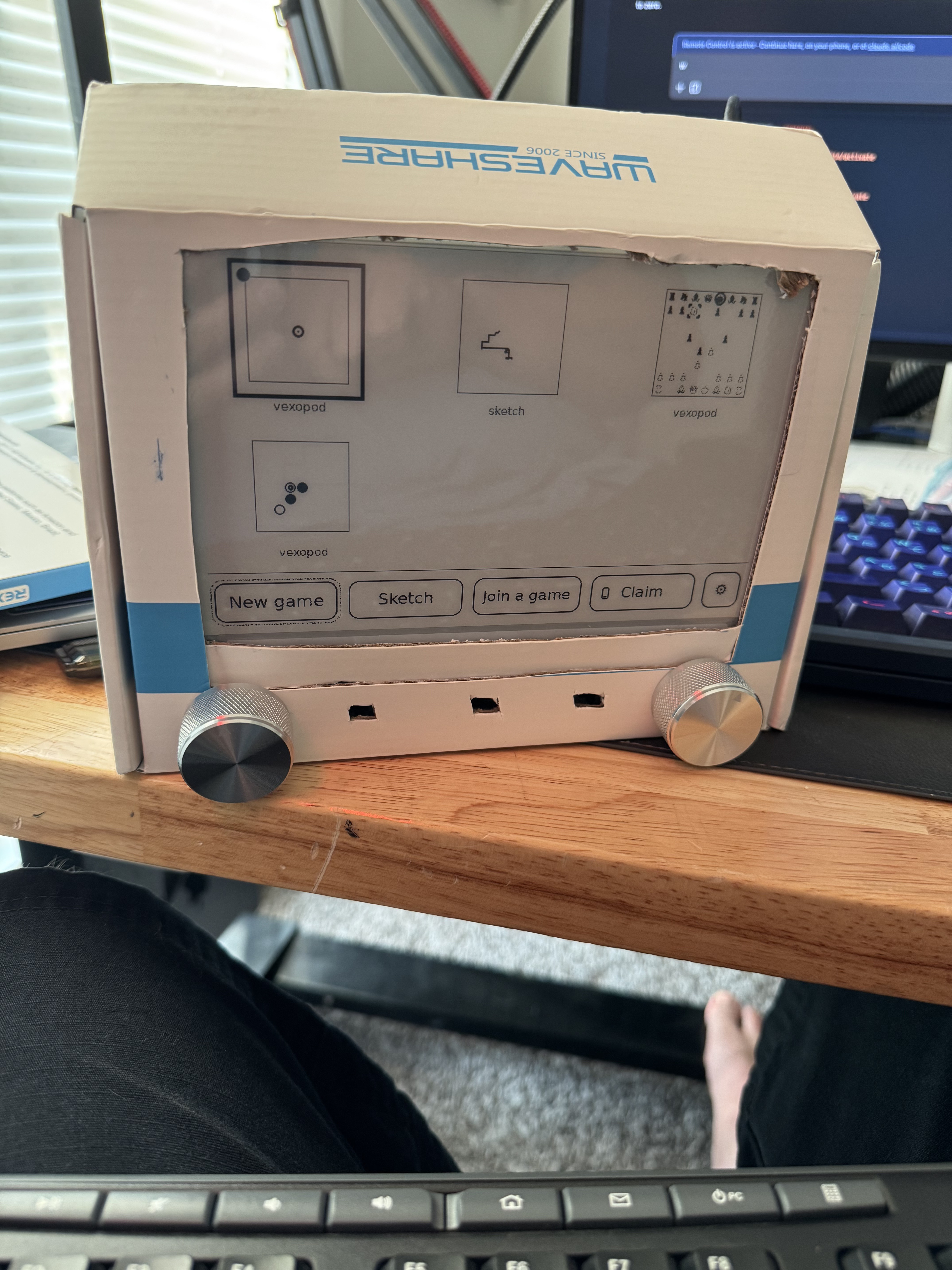
The board is an e-ink screen that sits on a shelf and shows the current position of a game. E-ink is the same display technology a Kindle uses: it looks like paper, it is easy on the eyes, and it keeps showing its image with the power off. Someone hundreds of miles away makes a move, and a little while later, the board quietly updates. There are no notifications, no glowing screen, and no timers. You find out your opponent moved when you walk past the shelf.
Of go, quoridor, and chess, quoridor is easily the least famous. It is a game where you race pawns across the board while placing walls in each other's way, and more people should play it.
Why
Correspondence chess is an old idea. Before the internet, people played entire chess games through postal mail, one move per letter, with a single game sometimes lasting years. That sounds insane today, but I think those players were onto something. A letter can sit on a desk for a week and nobody is mad about it. A chess app, on the other hand, is engineered to pull you back in with notifications and streaks and timers. That is exactly the wrong energy for a casual game with a friend.
Most of my friends and family live nowhere near me. When this board updates, it means one of them made a move in our game, and I find out on my way to the kitchen instead of from a push notification.
No strangers
Quorrespondence is deliberately not a social network. There is no matchmaking, no ranking, and no playing against strangers. It is less of a social network where you fight strangers, and more of an ecosystem where you make friends with 6-character invite codes. When you want to play someone, you get a code like R7WMK2 and read it to them out loud. The code alphabet has no O or 0, and no I, 1, or L, specifically so it can be read across a kitchen table without any confusion. Once they type it in, the game starts, and the code stops working. A friend, as far as the system is concerned, is just someone you have actually played a game with.
It started on a laptop
The first version of Quorrespondence had no hardware at all. I started in the middle of July with the three rule engines and a renderer that drew each board frame to a PNG file instead of a screen. The boards talk to each other through Supabase, which is a hosted Postgres database with an API on top.
The design decision I am happiest with is that a game is stored as nothing but a list of moves. Think of a chess scoresheet: "Nf3", then "d5", and so on. No board state is ever saved anywhere. When a device wants to show the position, it replays the whole list from the beginning, which takes microseconds. Two devices can never disagree about the position, because neither of them owns the position. They both derive it from the same list.
The database also has a rule that each numbered move in a match can only be written once. If both players somehow think it is their turn and both submit a move, the second write fails, and that device re-syncs. The database doesn't know the rules of chess. It only knows that move 42 can only happen one time.
The phone client
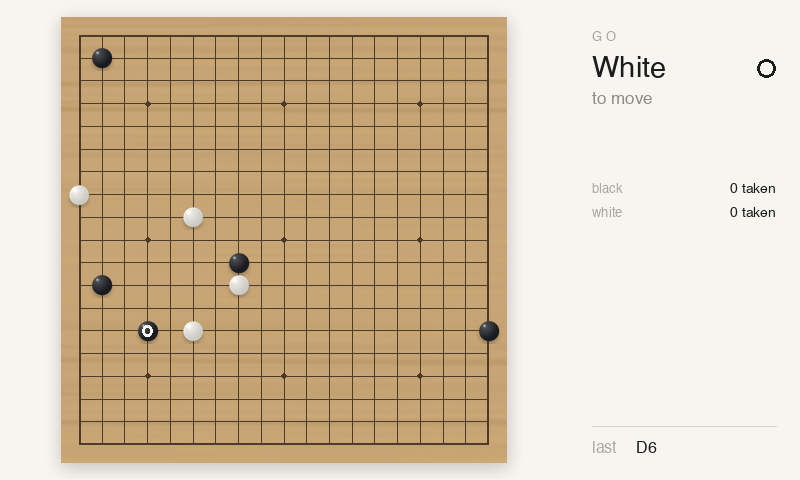
The phone client came before any of the hardware existed. It is a small web app at quorrespondence.com that installs to your home screen like a real app, so a board can play against a phone, or two phones can play with no board at all. That part matters, because it means the other person doesn't have to own one of these to play with me. The phone has its own copy of the rules, ported to TypeScript, and a set of generated test games holds it to the same answers as the Python, move for move.
First glass
Picking the panel took a long time. Color e-ink looks like a printed page, and I wanted it badly, but a color panel takes 20 to 30 seconds to refresh a frame. That is fine for a picture frame, and useless for a game you actually play. You have to be able to make your moves on the board itself, and a screen that takes half a minute to acknowledge a button press cannot do that. So the board is black and white.
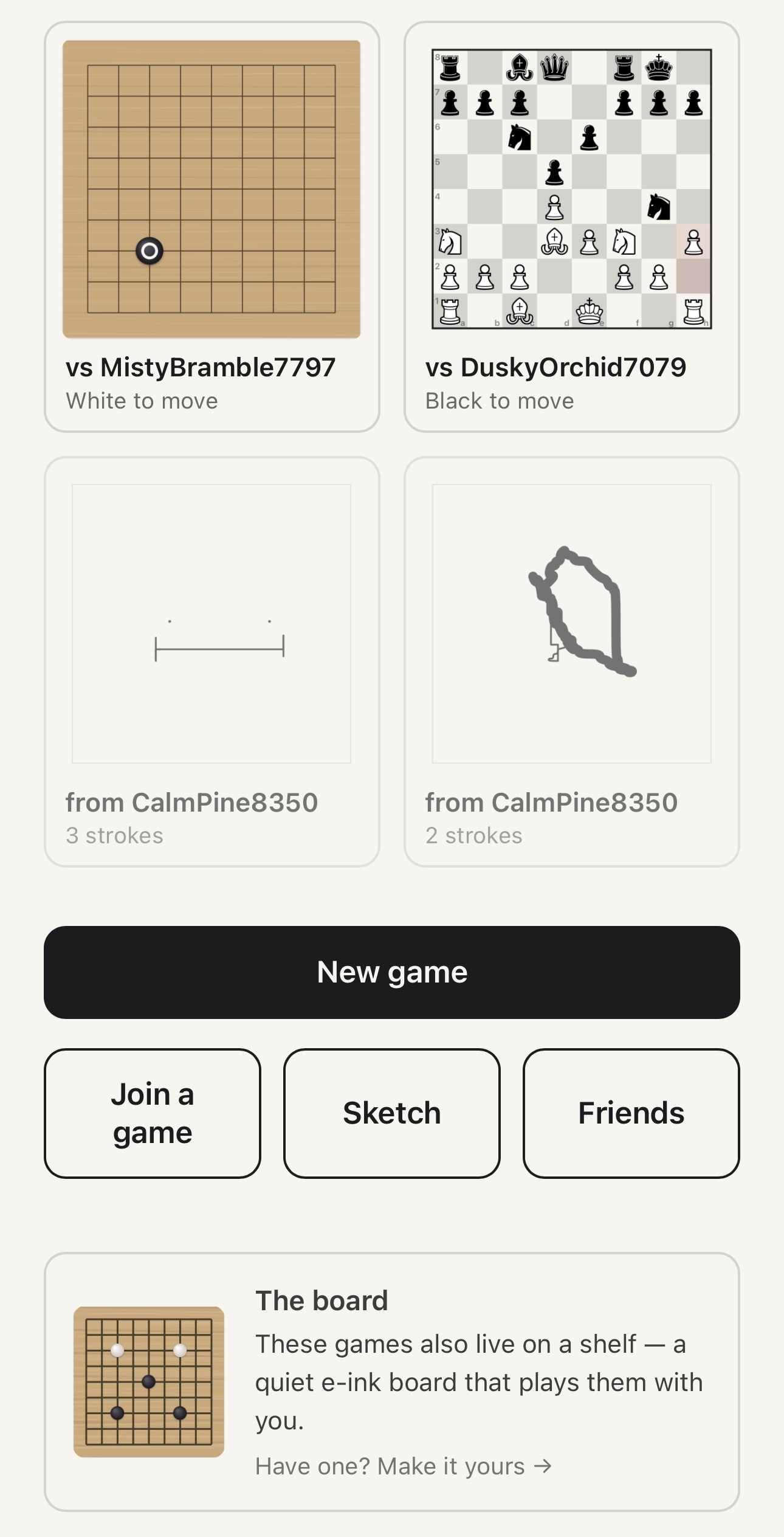
I ordered a 7.5 inch panel and a Raspberry Pi at the end of July, and kaya-0000 came to life on my bench a day later. The prototype boards are named kaya-0000, kaya-0001, and so on, after the wood that traditional go boards are made from. That first board proved the display driver and the rendering actually work on real glass.
E-ink
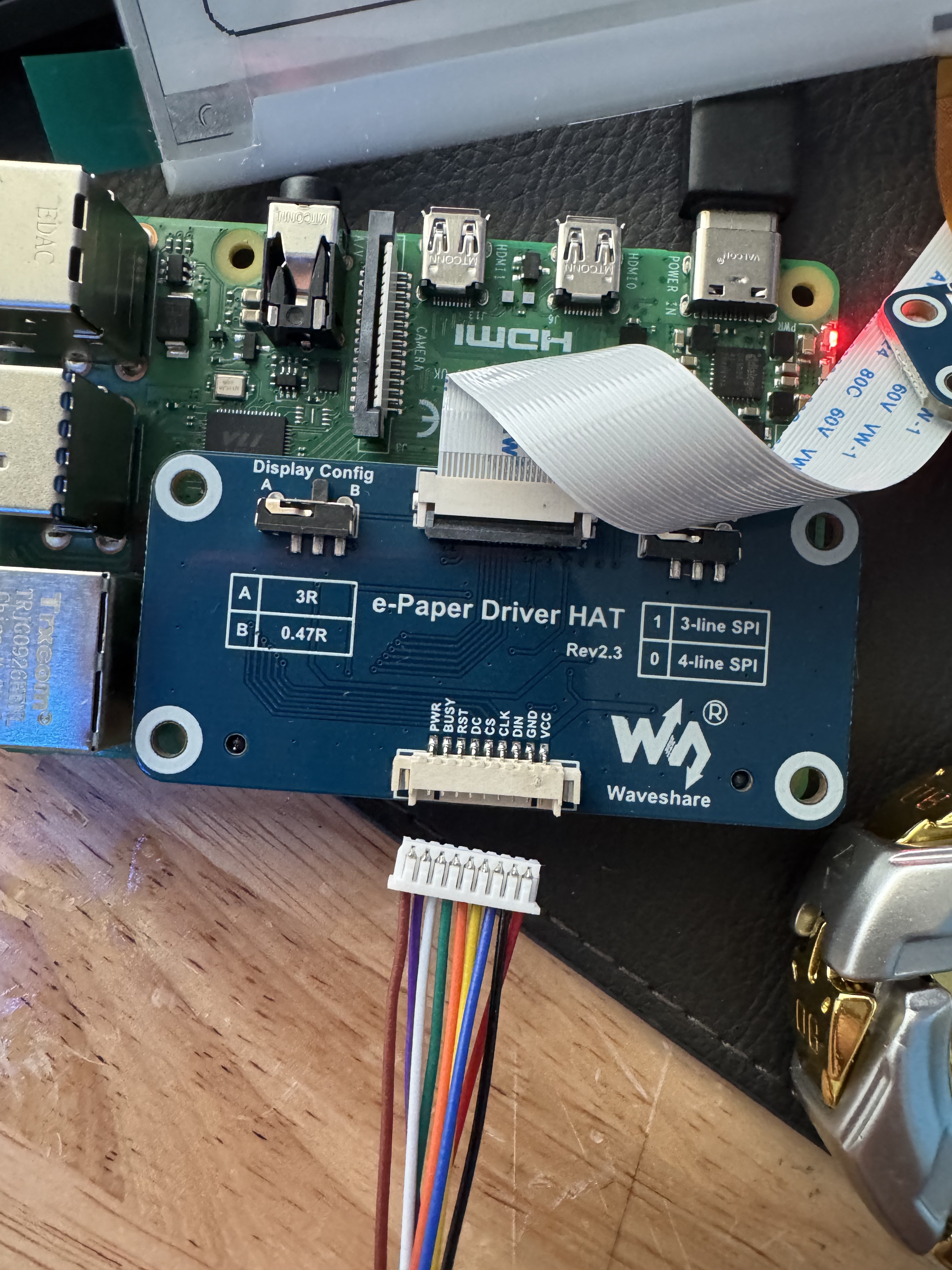
E-ink panels are a pain. A full refresh takes a few seconds and flashes the whole screen black. Partial refreshes are faster, but they leave ghosts of the old image behind.
Optimizing the refresh is an ongoing battle. Between only redrawing the rectangle that actually changed and cranking up the clock on the wire to the panel, input latency is down to about half a second from turning a knob to seeing the cursor move. There are more tricks left to try.
So the board has no animations, no dragging pieces around, and no websockets. It checks for new moves every ten seconds, draws the position if something changed, and goes back to doing nothing. Every time I had an idea for a clever interactive feature, the panel talked me out of it. The limitations have actually kept the project pointed in the right direction. It is supposed to be furniture, and furniture is supposed to be calm.
Knobs
The board takes input from two knobs and a few buttons. Turning a knob moves a cursor around the board, and the center button picks pieces up and puts them down. The real encoders took a while to arrive, so a keyboard stood in for them on the bench. When they finally showed up, the first thing I learned was that clockwise was backwards.
Sketch mode
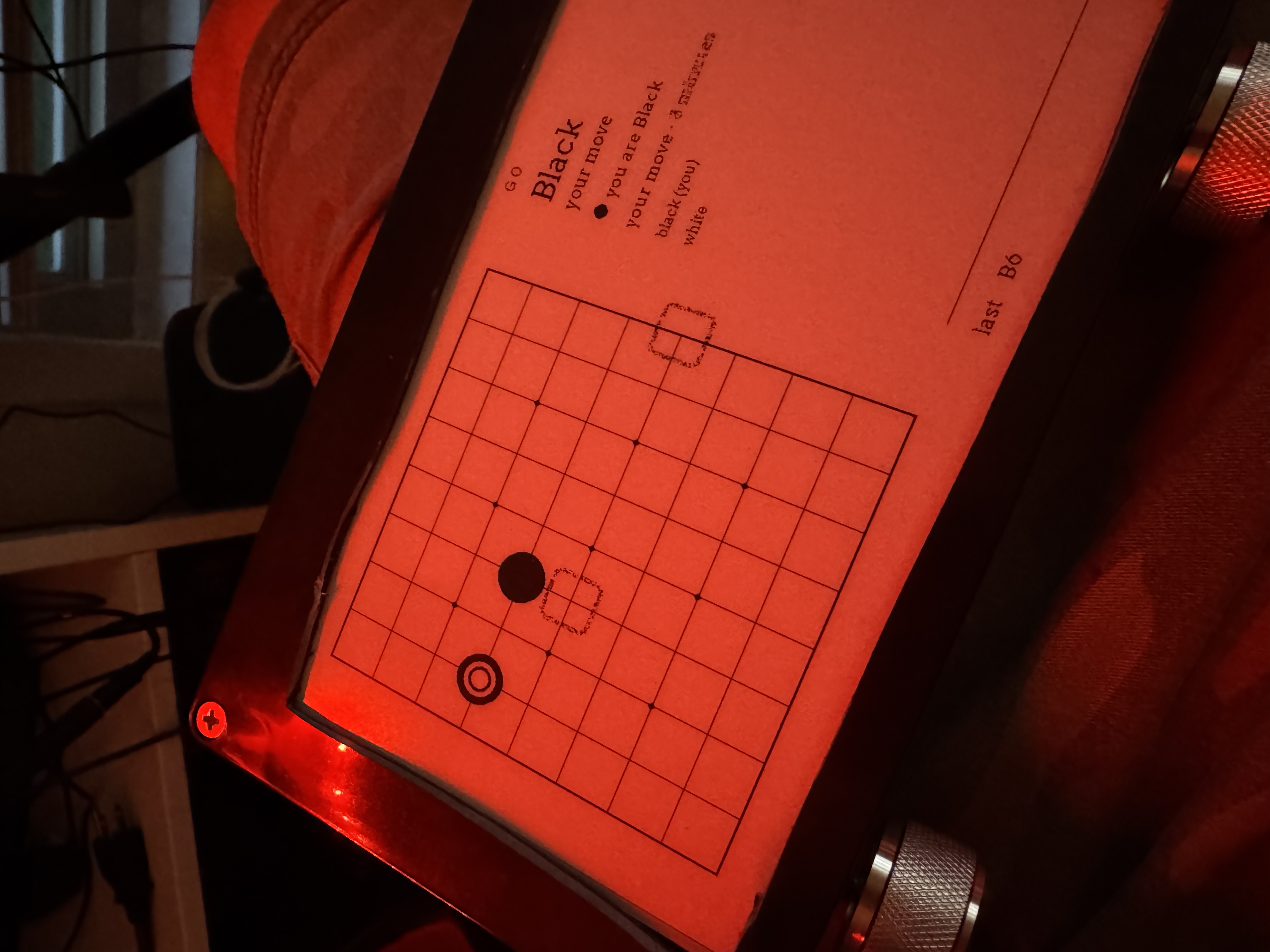
My favorite feature so far is not a game. The knobs came first, and sketch mode came after. At some point I realized what two knobs moving a point around a grayscale screen actually is: an Etch A Sketch. One knob moves the pen side to side, and the other moves it up and down. Even the faint ghosts that e-ink leaves behind look like the aluminum powder.
I did not really design sketch mode - it emerged from decisions that had already been made. The system already stored a game as a list of moves and replayed them to get a position. A drawing is just a match where the strokes are the moves and there is no opponent. Everything the feature needed already existed.
When a drawing is finished, you send it, and it shows up whole on the other person's board, like a postcard arriving in the mail. They can reply with a drawing of their own. And because every stroke has a timestamp, a drawing can be replayed stroke by stroke, at the same speed the person actually drew it.
The gallery
One of the newest features is the gallery. When nobody is touching the board, it shows art instead of a menu. The idle screen rotates through your games and the drawings hanging on your wall, one at a time, like a digital picture frame. Just a bare position or a drawing, with nothing else around it. Your own finished sketches can hang in the rotation too. The gallery came relatively late, but it leans into the mentality the whole project is built on: the board is art first, and a game console second.
Circuit boards
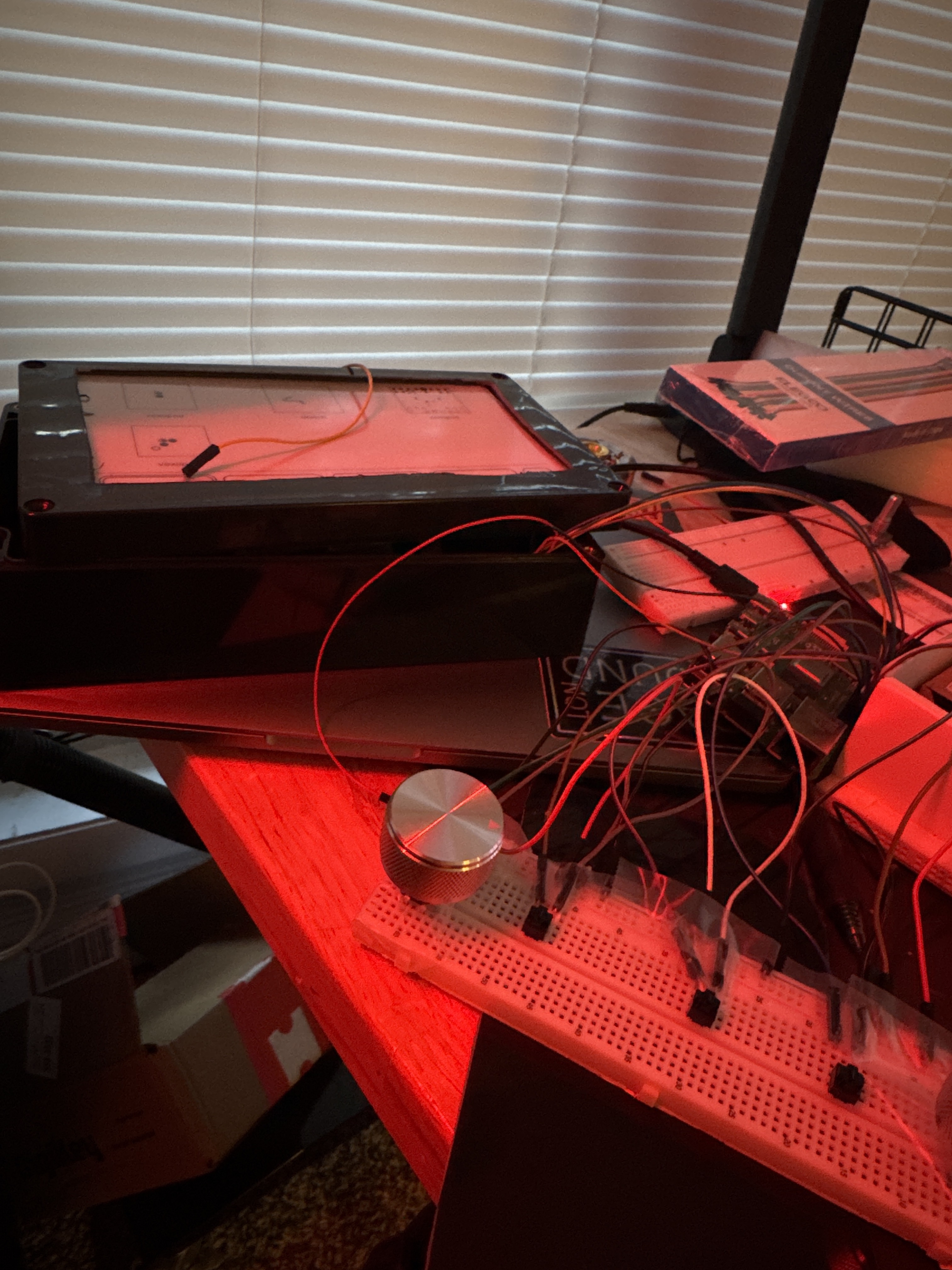
At the start of August, the nest of jumper wires on my bench needed to become real circuit boards.
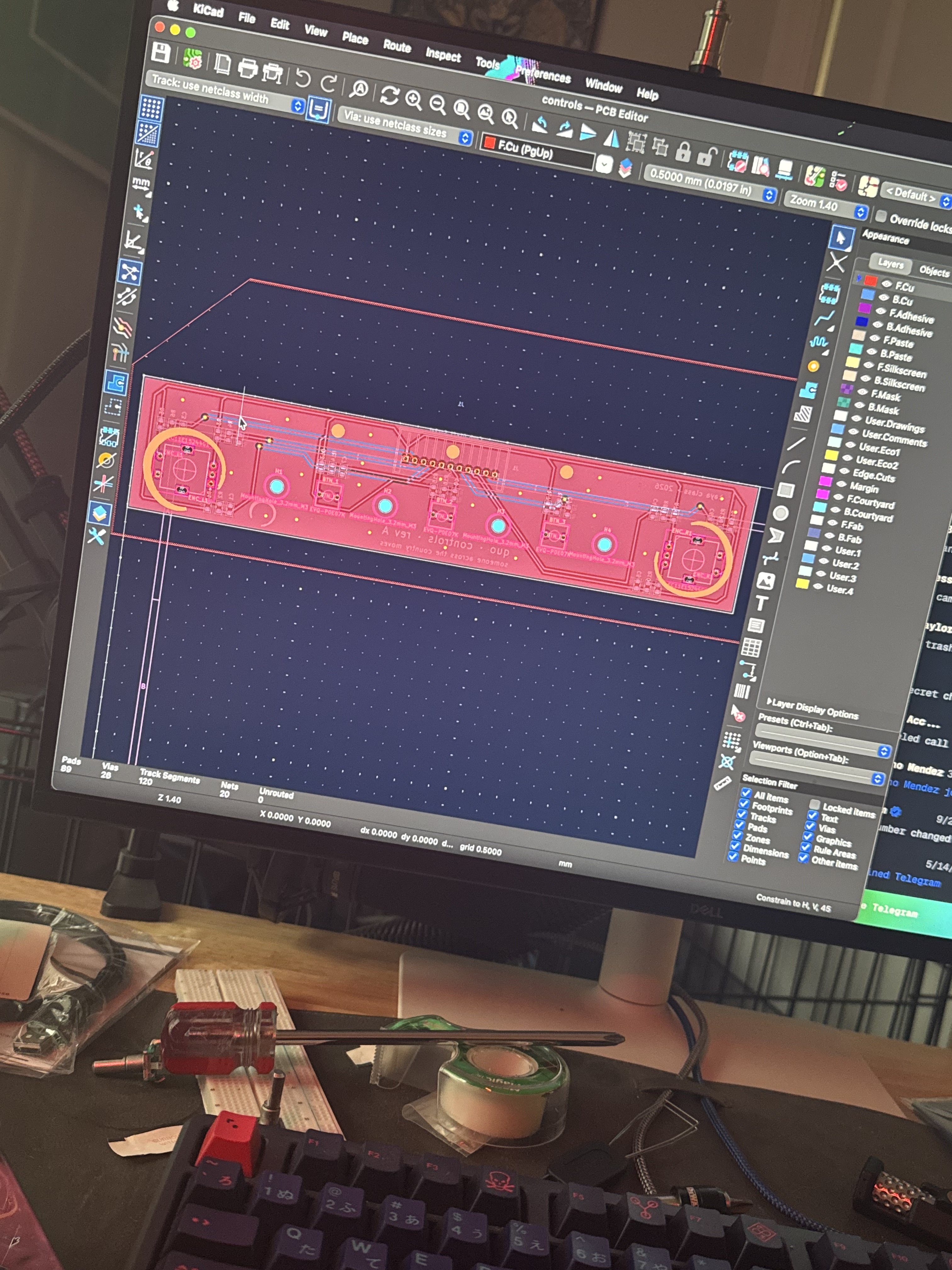
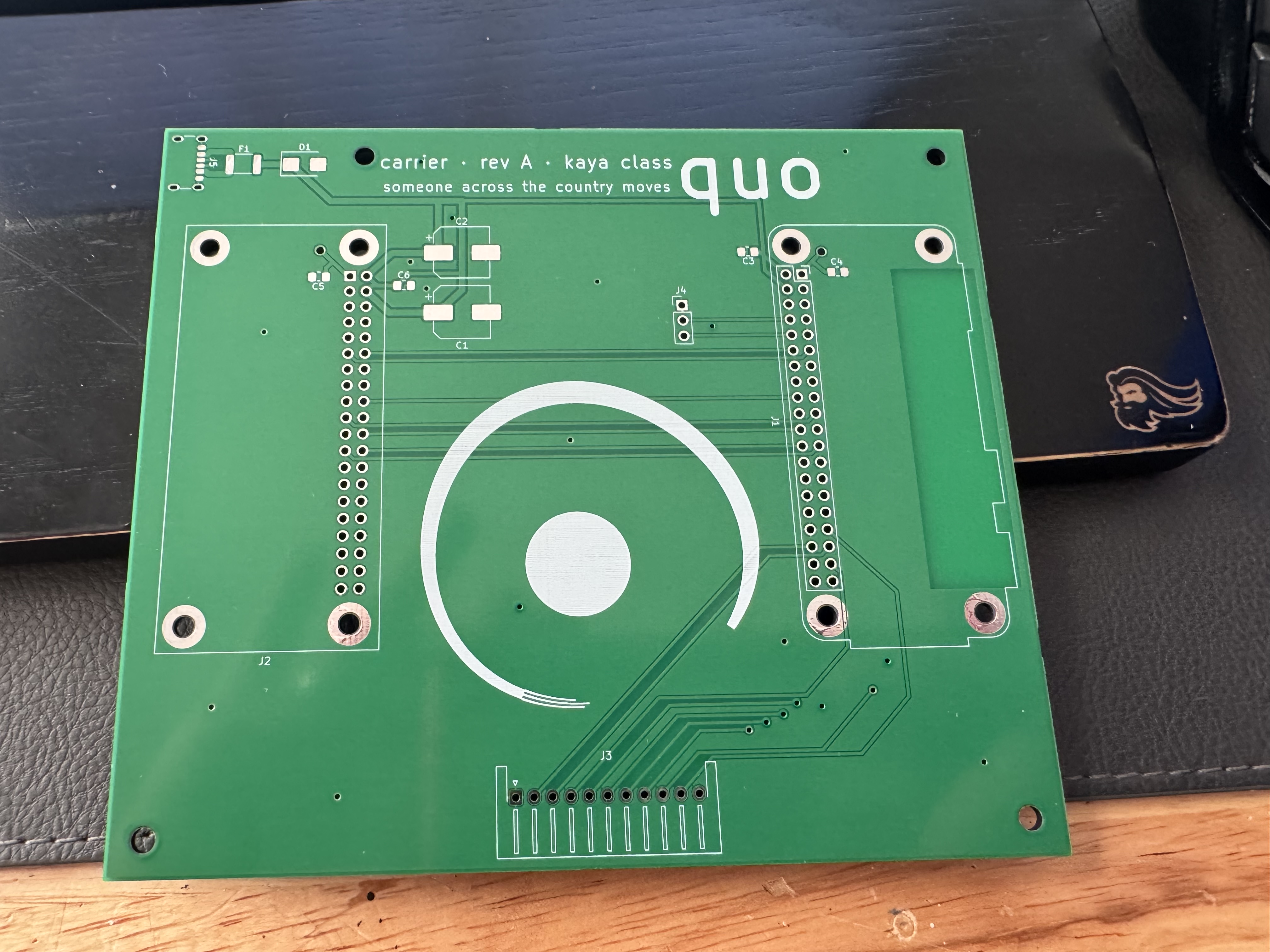
So I learned KiCad, the open source program for designing circuit boards, and drew two: a small controls board for the knobs and buttons, and a carrier board that the computer and the panel plug into.
The carrier's power input has a TVS diode across it, which is a part that absorbs voltage spikes before they can reach anything expensive. A TVS diode only works in one direction, and the end that goes toward positive is the end marked with a line. On every other component in electronics, a line like that means negative, so I put the marked end on the negative side. Flipped like that, it stops being spike protection and becomes a short circuit across the power rail. The schematic checker considers that perfectly fine, because a diode pointed the wrong way is still a valid circuit on paper. The backwards diode made it all the way onto a real board before I caught it. I was able to recover the whole board by throwing out the old diode and plopping in a new one, facing the right way this time.
I also tried to use a drill to make button access holes in the project box, and discovered that a drill bit wins against a soldered EVQ button. I swapped the button in less than 5 minutes and preserved the board. The mangled one went where it belongs - in the trash.
Waiting for the finished boards to come back from the factory was one of the most exciting parts of this project so far. Software runs the second you finish writing it. A circuit board gets sent off to be manufactured, and then there is nothing to do but wait for the mail and wonder what you got wrong.
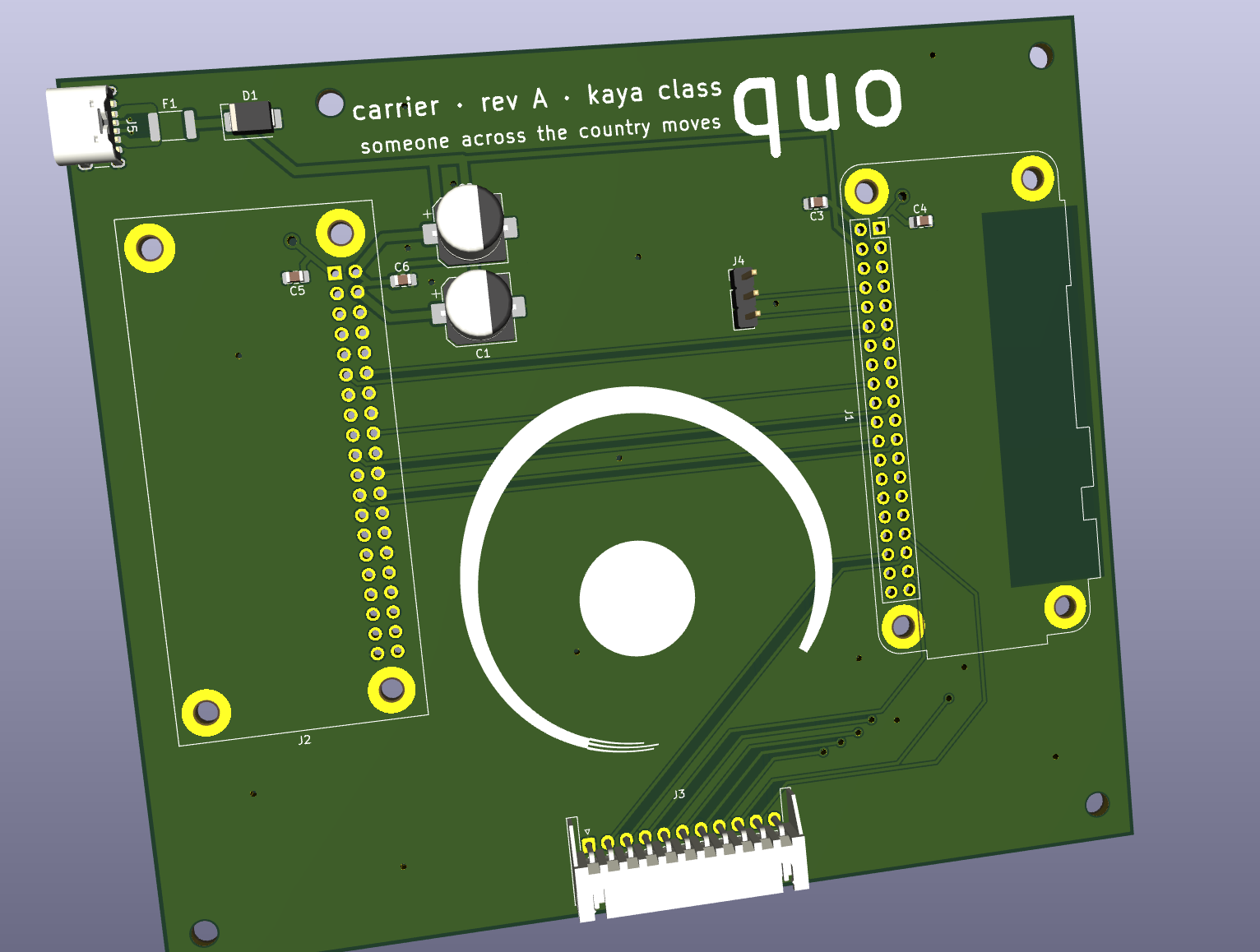
I also designed custom art for the boards. The mark is an enso, the hand-drawn circle from Japanese calligraphy. There is one printed around each knob, so the knob sits in the middle of the ring like a stone on a board. The art is drawn against the real board layout, and the brush stroke lifts wherever a pad or via needs the space.
The computer
Settling on the computer inside the board was hard, too. The entire application needs about 30 MB of RAM, so almost any computer on earth can run it. The hard part is buying one. The Pi Zero, the tiny cheap version of the Raspberry Pi, does not exist anywhere in bulk. The CM5, the version made for building into products, is easy to buy, and expensive. An ESP32 is a microcontroller that costs a few dollars, but it needs a ton of extra components to work well, and none of my Python runs on it. The ESP32 is the long game anyway. All three rules engines have already been ported to C for it, held to the same answers as the Python by the same generated test games the phone client uses.
kaya-0001
The second board is a Pi Zero, and it refused to stay on wifi for two days. It turned out my router's "Universal Beamforming" setting silently destroys packets sent to small cheap wifi radios. That one took a while to track down, because everything about the connection looked perfect except that no data ever arrived. The boards install their own signed software updates now, so I can ship a fix from my desk and a board across the room will pick it up on its own.
Usability
The hard part of this project has not been the code - it has been usability. A chess app can assume its user wants to be there and will learn the interface. A piece of furniture sitting on a shelf cannot assume any of that. Every screen has to make sense to someone who walked past a shelf, saw a game, and pressed a button.
Adding a new game makes this very clear. Writing the rules of a game is the small part. The game also needs a way to be started, a way to be joined, a way to show whose turn it is, a way to make a move with very limited input, and a way to look right on a slow black-and-white screen and on a phone at the same time. Every new game has to pay all of those costs before anyone gets to play it.
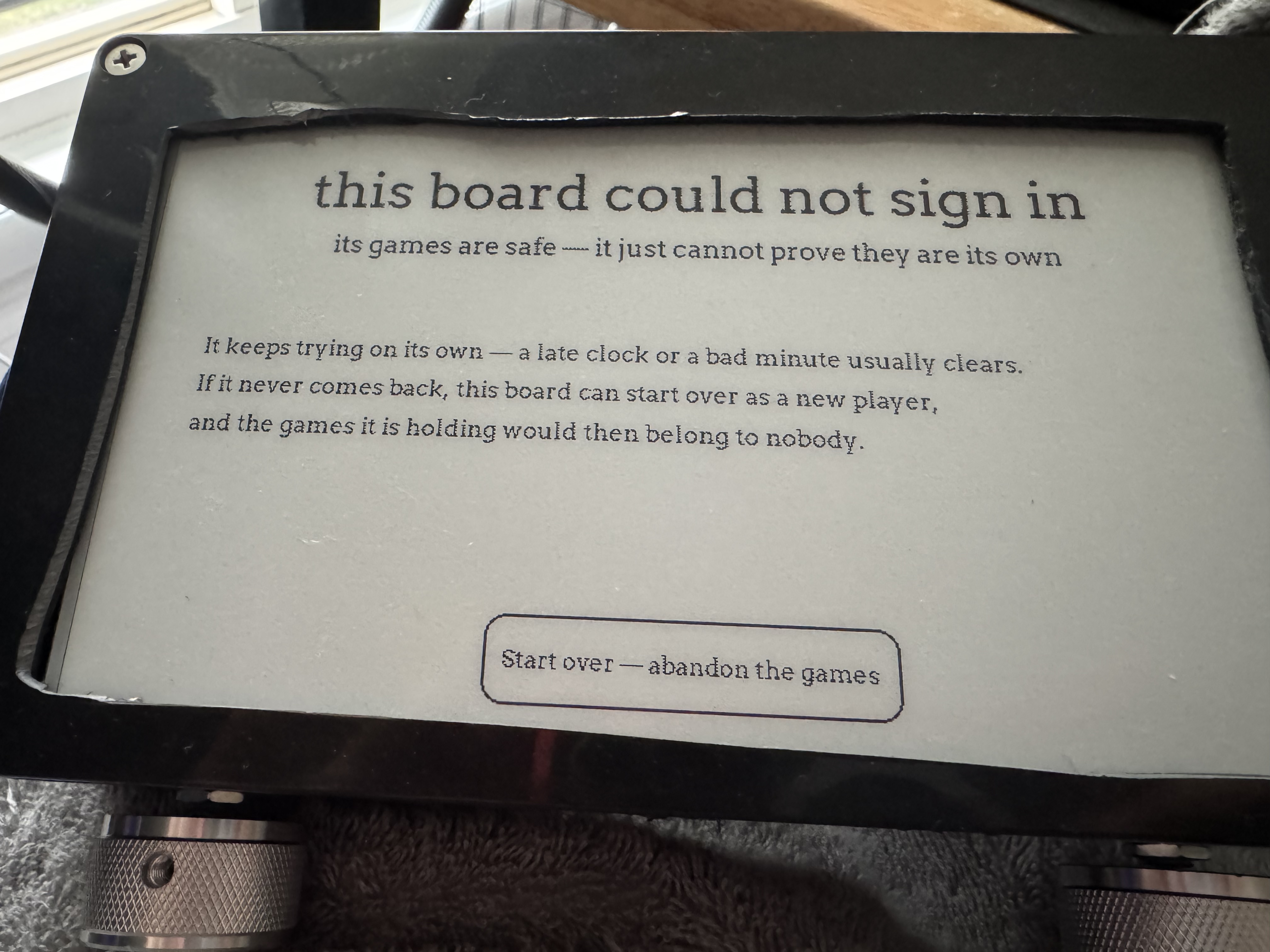
The same rule applies to the error screens. When something goes wrong, the board explains itself in plain sentences, because the person reading it cannot open a terminal.
What's left
There is still a lot left. The enclosure is ahead of me. If this thing is going to be furniture, it should be made out of real wood, so the case is going to a carpenter instead of my 3D printer. The ESP32 version has a schematic but no routed board yet. And nobody has played a full game of go across two real boards, so the endgame scoring flow has technically never been used for its actual purpose.
When there is more to show, I will post about it here. The next post will probably be about what it is like to debug a computer whose only output is a picture of a chess board.